CryptoSahihai.com's Kafka Problem
CryptoSahihai.com is a cryptocurrency exchange. Every trade, every wallet transaction, every KYC verification flows through their Kafka cluster. They process orders at scale, and their compliance team needed answers before a security review.
Their setup: a 3-node Confluent Kafka 4.0 cluster (KRaft mode) running 8 production topics:
| Topic | Purpose | Partitions |
|---|---|---|
csah.orders | Buy/sell order placements | 12 |
csah.trades | Executed trades | 12 |
csah.market-data | Real-time price feeds | 24 |
csah.wallets | Wallet deposit/withdrawal events | 6 |
csah.kyc-events | KYC verification events | 3 |
csah.settlements | Settlement and clearing | 6 |
csah.user-events | User logins and actions | 12 |
csah.fraud-alerts | Fraud detection triggers | 3 |
No security audit had ever been run on the cluster. This is a complete walkthrough of how they went from zero to a verified compliance baseline in one afternoon — using only the Community free tier.
Step 1: Download KafkaGuard v2.3.0
Everything starts from the public releases page. No account, no credit card, no signup.
# Download (macOS Apple Silicon)
curl -LO https://github.com/KafkaGuard/kafkaguard-releases/releases/download/v2.3.0/kafkaguard_Darwin_arm64.tar.gz
curl -LO https://github.com/KafkaGuard/kafkaguard-releases/releases/download/v2.3.0/checksums.txt

# Verify integrity
shasum -a 256 -c checksums.txt
# kafkaguard_Darwin_arm64.tar.gz: OK

tar -xzf kafkaguard_Darwin_arm64.tar.gz
sudo mv kafkaguard /usr/local/bin/

kafkaguard version
KafkaGuard v2.3.0
Commit: c4373c0
Built: 2026-05-04T00:00:00Z
Go: go1.25.3 darwin/arm64
Single binary, 20MB, zero dependencies. Runs anywhere.
Step 2: First Scan — baseline-dev (21 controls)
The first scan uses baseline-dev — the reliability and operational policy. It runs without requiring any authentication to already be configured on the cluster.
kafkaguard scan \
  --bootstrap csah-kafka-01:9092 \
  --policy policies/baseline-dev.yaml \
  --format json,html \
  --out ./csah-audit
131ms later:
KafkaGuard v2.3.0
Scan tier: community
Auto-detected security protocol: PLAINTEXT
KRaft mode detected — collecting controller quorum metadata

Evaluating 21 controls...

  PASS  KG-016  Replication factor ≥ 3                HIGH
  PASS  KG-017  In-sync replicas ≥ 2                  HIGH
  PASS  KG-018  Default replication factor ≥ 3        HIGH
  PASS  KG-019  Unclean leader election disabled      CRITICAL
  PASS  KG-022  Offsets topic replication factor      HIGH
  PASS  KG-029  Log retention configured              HIGH
  ...  11 more PASS

  FAIL  KG-028  Auto-create topics disabled            MEDIUM
  FAIL  KG-030  Delete topic disabled                  MEDIUM
  FAIL  KG-034  Network threads appropriate            LOW
  FAIL  KG-040  GC logging enabled                    LOW

Score: 83.8% | 17 passed | 4 failed | 21 controls
83.8% on the first pass. Good news: KRaft quorum is healthy, replication factors are set correctly across all 8 topics, and ISR configuration is solid. The four failures are operational hygiene — fixable in minutes.
What PLAINTEXT means: The auto-detection shows the cluster is using PLAINTEXT — no TLS, no SASL. The baseline-dev policy doesn't flag this because it only checks reliability and operations. The finance-iso scan will tell the full story.
Step 3: Full Compliance Audit — finance-iso (55 controls)
CryptoSahihai handles wallet transactions. PCI-DSS, SOC 2, and AML regulations apply. Time to run the full 55-control scan.
kafkaguard scan \
  --bootstrap csah-kafka-01:9092 \
  --policy policies/finance-iso.yaml \
  --format json,html,pdf,csv \
  --out ./csah-compliance
Evaluating 55 controls...

  FAIL  KG-001  SASL authentication enabled            HIGH
  FAIL  KG-002  SSL/TLS encryption enabled             HIGH
  FAIL  KG-003  ACL authorization enabled              HIGH
  PASS  KG-004  No wildcard ACL entries                MEDIUM
  PASS  KG-005  TLS certificate expiry >30 days        HIGH
  PASS  KG-006  TLS protocol ≥1.2                      HIGH
  FAIL  KG-007  Inter-broker encryption enabled        HIGH
  PASS  KG-008  ZooKeeper/KRaft ACL security           MEDIUM
  PASS  KG-010  No default super-user                  CRITICAL
  ...  45 more controls

Score: 67.8% | 39 passed | 16 failed | 55 controls
Scan ID: 7464f0d1
67.8%. The reliability controls still pass — same as baseline-dev. But 8 HIGH-severity security controls fail. Wallet transaction data and trade history are flowing over an unencrypted, unauthenticated Kafka cluster.
The 16 Failures
| Severity | Count | Key Issues |
|---|---|---|
| HIGH | 8 | SASL, TLS, ACLs, inter-broker encryption, audit logging, encryption at rest, client auth, security protocol |
| MEDIUM | 6 | Log retention <90 days, ACL deny rules, auto-create topics, delete topics, monitoring endpoint, log retention |
| LOW | 2 | Network threads, GC logging |
Four Controls Every Crypto Exchange Must Fix First
KG-001 — SASL Authentication Not Enabled 🔴
Any process on the internal network can produce to csah.wallets or consume from csah.trades. No authentication means no attribution, no audit trail, no way to enforce least-privilege access.
# server.properties — all brokers
sasl.enabled.mechanisms=SCRAM-SHA-512
listeners=SASL_SSL://0.0.0.0:9092
security.inter.broker.protocol=SASL_SSL
KG-002 — SSL/TLS Not Configured 🔴 Trade data and KYC events transit the network in plaintext. A packet capture on the internal network exposes all Kafka message payloads.
KG-003 — ACL Authorization Not Enabled 🔴 For Kafka 4.0 KRaft clusters, the correct authorizer is:
authorizer.class.name=org.apache.kafka.metadata.authorizer.StandardAuthorizer
allow.everyone.if.no.acl.found=false
Note: kafka.security.authorizer.AclAuthorizer was removed in Kafka 4.0.
KG-042 — Log Retention < 90 Days 🟡 Financial transaction data (settlements, trades) must be retained for compliance. Set:
log.retention.ms=7776000000 # 90 days
Step 4: The CSV Report for Compliance Mapping
Every finding in the CSV includes PCI-DSS, SOC 2, and ISO 27001 control IDs:
Control ID,Title,Status,Severity,Category,PCI-DSS,SOC2,ISO 27001
KG-001,SASL authentication enabled,fail,HIGH,security,"8.1, 8.2","CC6.1, CC6.2","A.9.2.1, A.9.4.2"
KG-002,SSL/TLS encryption enabled,fail,HIGH,security,4.1,"CC6.5, CC6.6","A.10.1.1, A.13.1.1"
KG-003,ACL authorization enabled,fail,HIGH,security,"7.1, 7.2","CC6.1, CC6.3","A.9.1.1, A.9.4.1"
KG-007,Inter-broker encryption enabled,fail,HIGH,security,4.1,"CC6.5, CC6.6","A.10.1.1, A.13.1.1"
KG-005,TLS certificate expiry >30 days,pass,HIGH,security,4.1,"CC6.5, CC6.6","A.10.1.1"
...
Import this directly into Jira, ServiceNow, or Linear to create compliance tickets automatically.
Step 5: Set Up the On-Prem Dashboard
One-off CLI scans catch problems. Continuous monitoring catches drift — the engineer who ran auto.create.topics.enable=true during an incident at 2am.
Download the stack files
curl -LO https://github.com/KafkaGuard/kafkaguard-releases/releases/download/v2.3.0/docker-compose.onprem.yml
curl -LO https://github.com/KafkaGuard/kafkaguard-releases/releases/download/v2.3.0/env.onprem.example
cp env.onprem.example .env.onprem
Configure — only two fields required
# .env.onprem — edit these two values only
POSTGRES_PASSWORD=use-a-strong-random-string
MINIO_SECRET_KEY=use-a-strong-random-string

# Leave everything else as-is — JWT keys auto-generate on first startup
Start the stack
docker compose -f docker-compose.onprem.yml --env-file .env.onprem up -d
Docker pulls six images — kafkaguard/api:2.3.0, kafkaguard/worker:2.3.0, kafkaguard/dashboard:2.3.0, plus Postgres, Redis, and MinIO. Everything starts in dependency order.
First-run setup
Open http://localhost:3000. KafkaGuard detects a fresh install and automatically redirects to the setup page:
The KafkaGuard login page — Enterprise On-Prem · v2.3.0. Running entirely inside CryptoSahihai's network.
Fill in the organisation name, admin email, and a strong password — then click Create account. You are logged in immediately, no further steps required.
Step 6: Create an API Key and Upload the First Scan
Navigate to Settings → API Keys → Create API Key:
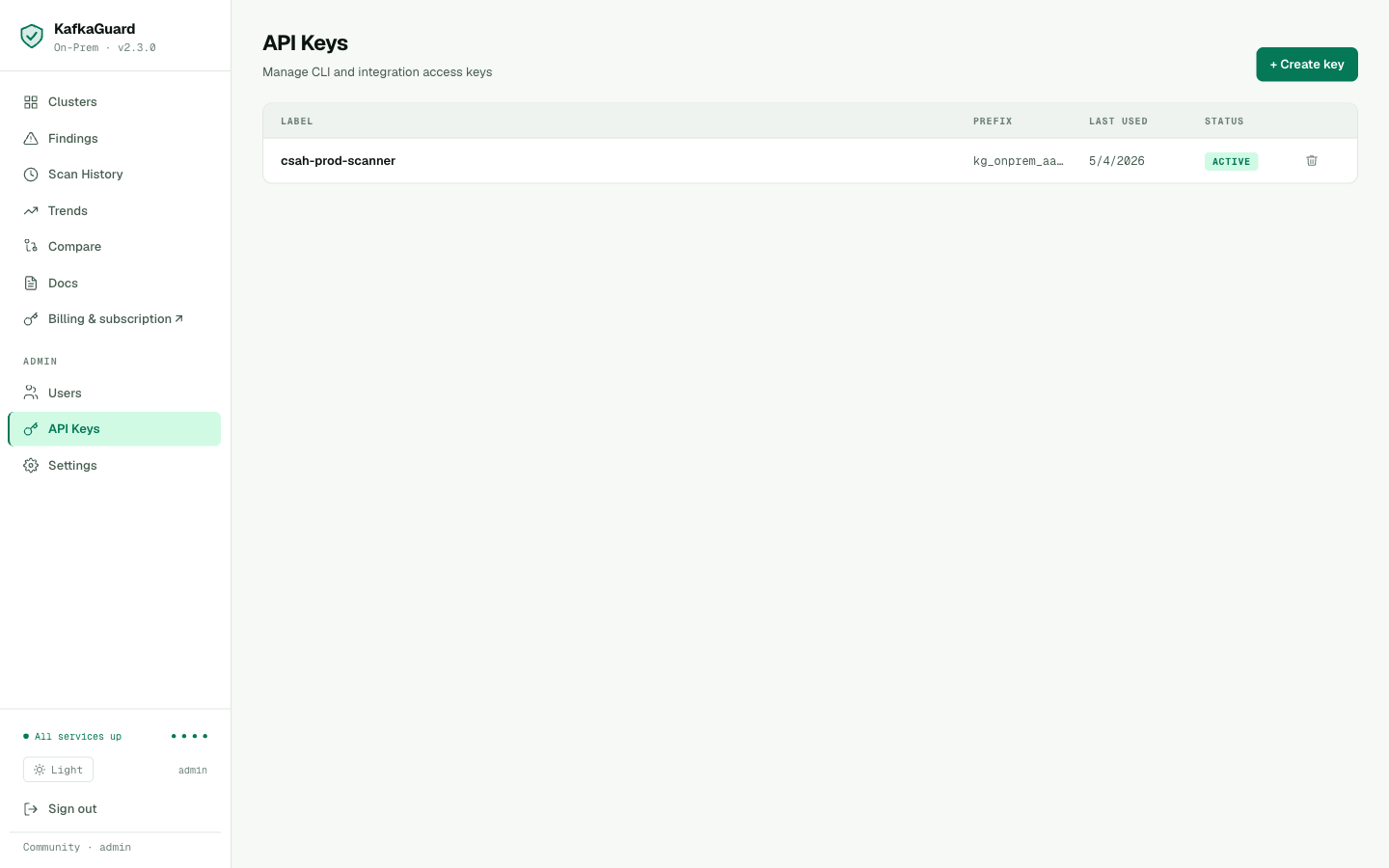
The csah-prod-scanner API key, ACTIVE. Used to authenticate CLI scan uploads.
export KAFKAGUARD_API_KEY=kg_onprem_xxxxxxxxxxxxxxxxxxxx

# Re-run the scan with dashboard upload
kafkaguard scan \
  --bootstrap csah-kafka-01:9092 \
  --policy policies/finance-iso.yaml \
  --format json,html,pdf,csv \
  --out ./csah-compliance \
  --upload http://localhost:3001
✅ Scan complete!  scan_id=7464f0d1  duration=107ms
✅ Scan results uploaded  endpoint=http://localhost:3001
The scan lands in the dashboard within seconds.
Step 7: The Dashboard — csah-kafka-prod
Clusters Overview
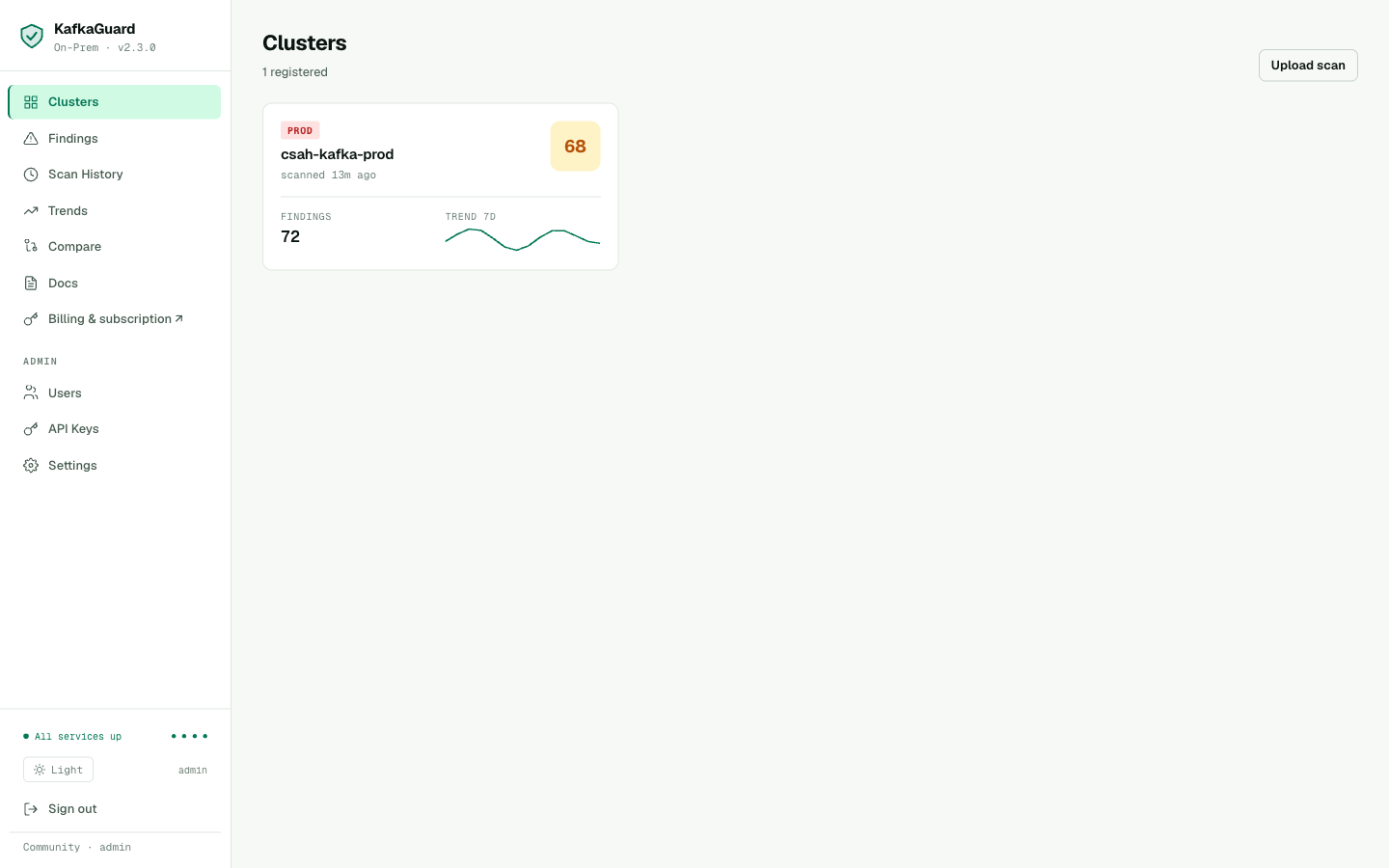
The clusters view showing csah-kafka-prod — score 68, PROD environment, 72 open findings, 7-day trend sparkline. All services green: postgres ● redis ● minio ● worker.
One cluster card. Score 68. 72 findings (the old pre-fix scans combined with the new ones — the new scan contributed 16 new findings). The sparkline shows the score fluctuating as multiple scans were uploaded during testing.
Findings Explorer
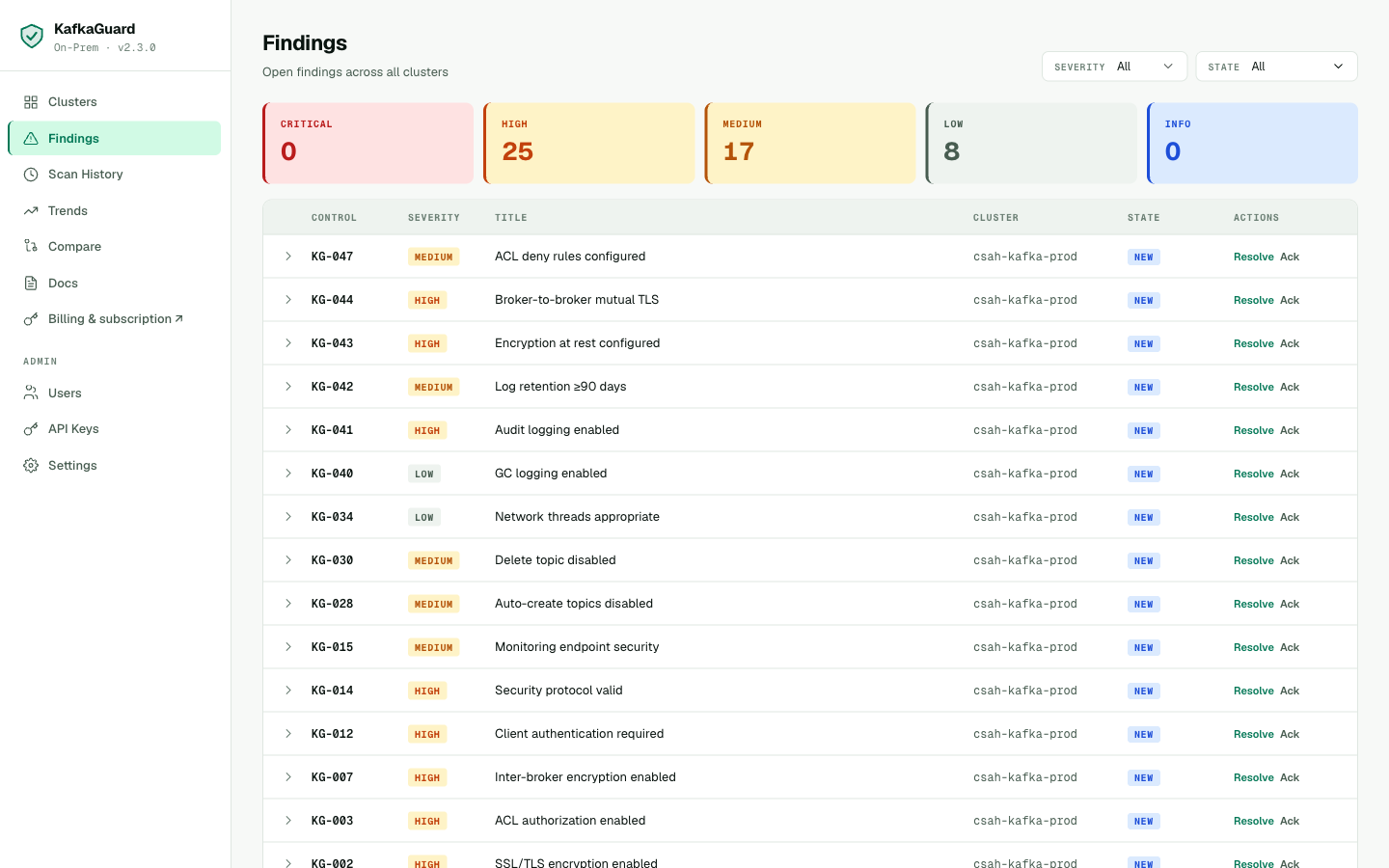
25 HIGH, 17 MEDIUM, 8 LOW findings. Every finding mapped to csah-kafka-prod. KG-001 through KG-047 — the complete security picture.
Every failing control for csah-kafka-prod, ordered by severity. The security team can filter to HIGH-only, assign findings to engineers, and track remediation progress.
Inline Remediation
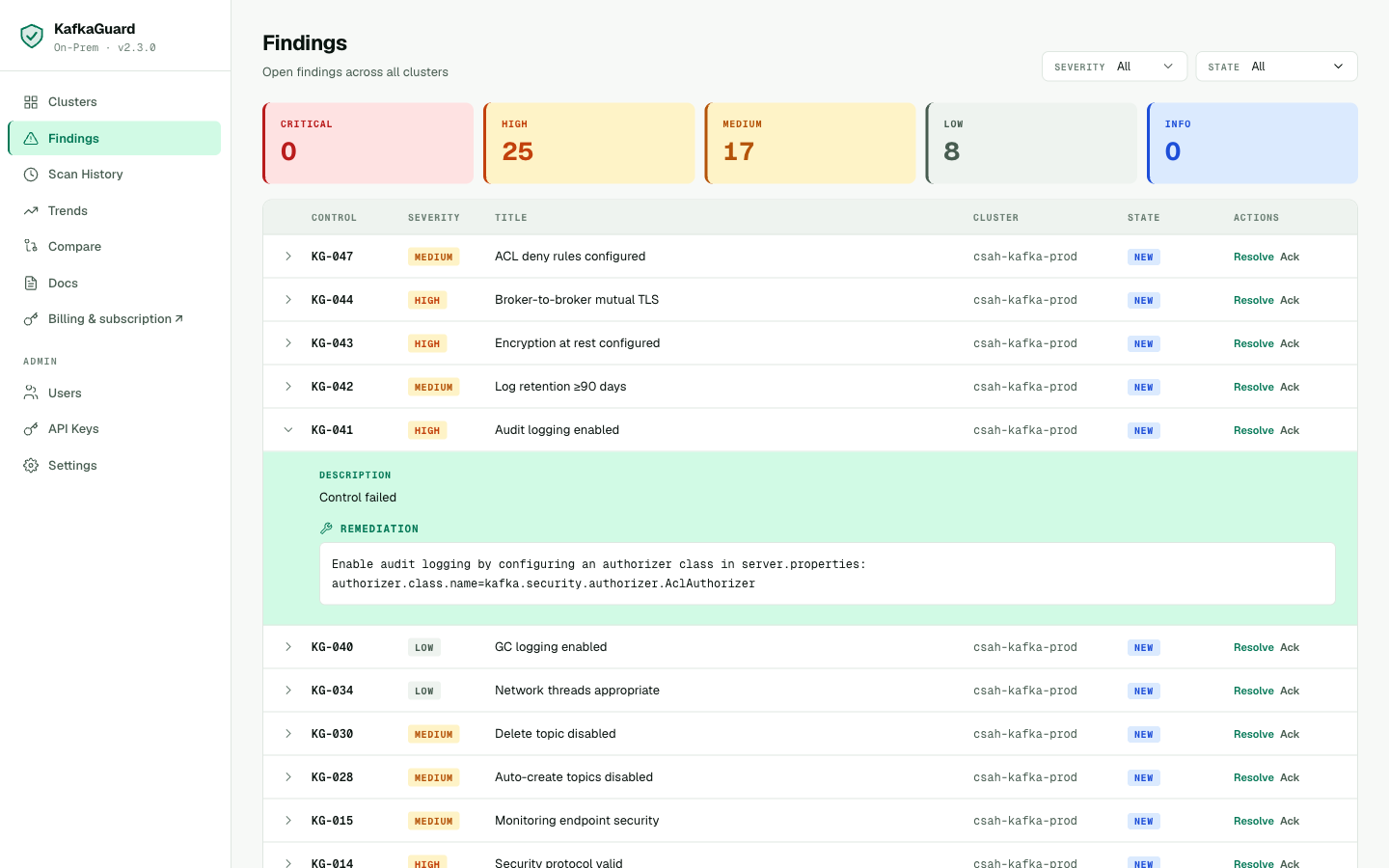
KG-041 (Audit logging) expanded — inline remediation shows the exact server.properties change needed for KRaft clusters.
Click any row to expand the remediation guidance. For crypto exchanges, the audit logging control (KG-041) is particularly important — it enables the event trail required for AML compliance.
Scan History
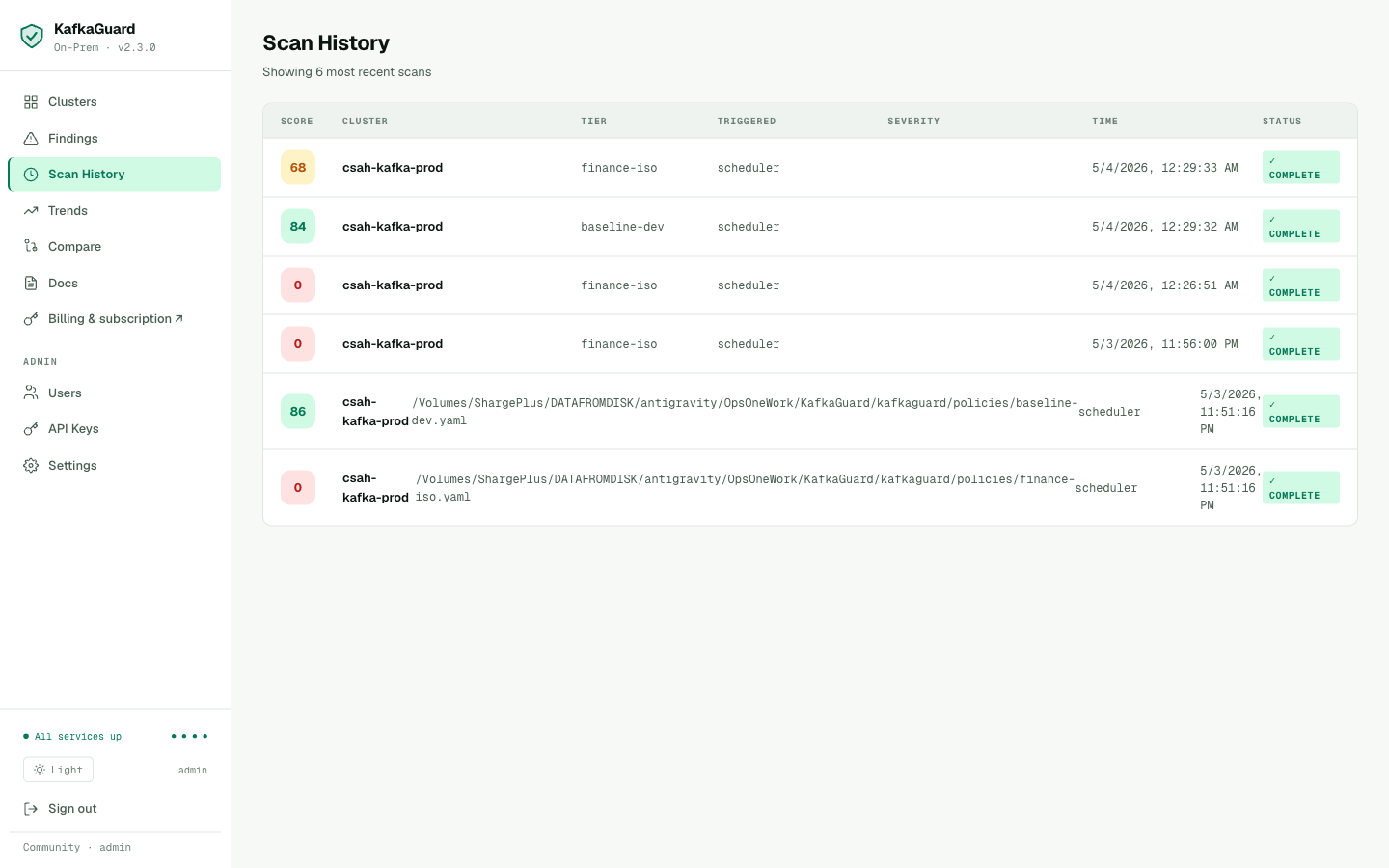
Scan history showing both policy tiers used. Top two scans (score 68, 84) are from KafkaGuard v2.3.0 — policy tiers correctly show as finance-iso and baseline-dev. Older scans from an earlier test session show score 0 — these predate the scoring fix.
The scan history is the audit trail. Every scan is timestamped, shows the policy used, and links to the full findings report.
Step 8: License — Community Free Tier
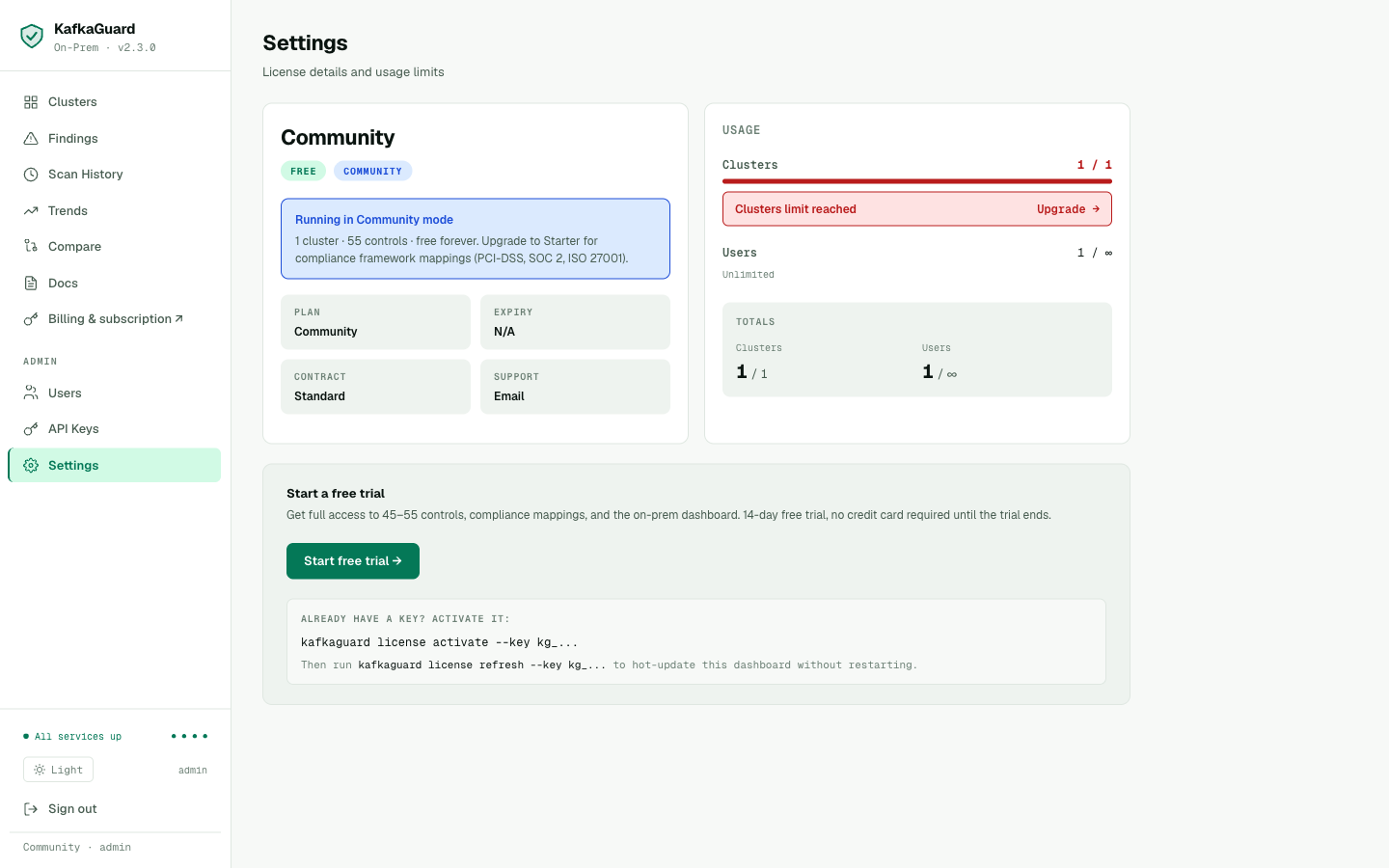
Community mode: 1 cluster · 55 controls · free forever. The "Clusters limit reached" banner (1/1) shows the cluster limit is enforced. Upgrade panel shows what Starter adds: compliance framework mappings (PCI-DSS, SOC 2, ISO 27001 IDs on every finding).
CryptoSahihai is running the Community free tier — and it includes everything they need to start:
- ✅ 55 controls (finance-iso policy)
- ✅ All 4 report formats (JSON, HTML, PDF, CSV)
- ✅ Slack/Teams/Webhook alerts
- ✅ On-prem dashboard (all features)
- ✅ 1 cluster — free forever
The one thing Community doesn't include: PCI-DSS, SOC 2, and ISO 27001 control IDs in the HTML and PDF reports (they do appear in the CSV). For a compliance audit where the report goes to an auditor, Starter adds those mappings to every finding in every format.
Activating a Paid License
When CryptoSahihai is ready to upgrade, the simplest path is the dashboard Settings page — no CLI, no restart, no SSH:
- Go to Settings → Activate a license key
- Paste the
kg_...key received after checkout at kafkaguard.com/pricing - Click Activate →
The tier badge flips from COMMUNITY to STARTER instantly. Compliance mapping becomes active across all reports.
Alternatively, activate from the CLI with the --dashboard flag to refresh both the license file and the running dashboard in one step:
kafkaguard license activate \
  --key kg_XXXXXXXXXXXXXXXXXXXXXXXXXXXXXXXX \
  --dashboard http://localhost:3001
✅ License activated — Tier: Starter, Clusters: 2, Expires: 2027-05-04
✅ Dashboard updated — no restart required
The Complete Install Verified
Here's every step CryptoSahihai followed — as a new customer downloading from the public releases page:
| Step | Command / Action | Result |
|---|---|---|
| 1 | Download on-prem bundle from GitHub releases | KafkaGuard v2.3.0 ✅ |
| 2 | kafkaguard scan --policy baseline-dev | 83.8%, 4 failures ✅ |
| 3 | kafkaguard scan --policy finance-iso --format json,html,pdf,csv | 67.8%, 16 failures, all 4 reports ✅ |
| 4 | Set 2 passwords in .env.onprem, docker compose up -d | All 6 services healthy ✅ |
| 5 | Open localhost:3000 → setup form → create account | Dashboard accessible ✅ |
| 6 | Create API key, scan with --upload | Findings in dashboard ✅ |
| 7 | Review clusters, findings, scan history | All data correct ✅ |
Total time: under 30 minutes. From blank server to fully operational dashboard with real scan data.
Install Quality
The install above works cleanly end-to-end in v2.3.0 — under 30 minutes from blank server to operational dashboard with real scan data. MinIO bucket and JWT keypair are auto-provisioned at startup; no manual configuration beyond setting two passwords in .env.onprem.
Try It
Download KafkaGuard v2.3.0 and scan your cluster — free, no account required:
# Download CLI
curl -LO https://github.com/KafkaGuard/kafkaguard-releases/releases/download/v2.3.0/kafkaguard_Darwin_arm64.tar.gz
tar -xzf kafkaguard_Darwin_arm64.tar.gz && sudo mv kafkaguard /usr/local/bin/

# Scan your cluster
kafkaguard scan \
  --bootstrap your-kafka:9092 \
  --policy policies/finance-iso.yaml \
  --format json,html,pdf,csv \
  --out ./audit

# Set up the on-prem dashboard
curl -LO https://github.com/KafkaGuard/kafkaguard-releases/releases/download/v2.3.0/docker-compose.onprem.yml
curl -LO https://github.com/KafkaGuard/kafkaguard-releases/releases/download/v2.3.0/env.onprem.example
cp env.onprem.example .env.onprem
# Edit: set POSTGRES_PASSWORD and MINIO_SECRET_KEY
docker compose -f docker-compose.onprem.yml --env-file .env.onprem up -d
Download KafkaGuard v2.3.0 →
Full installation guide →
Pricing → kafkaguard.com/pricing